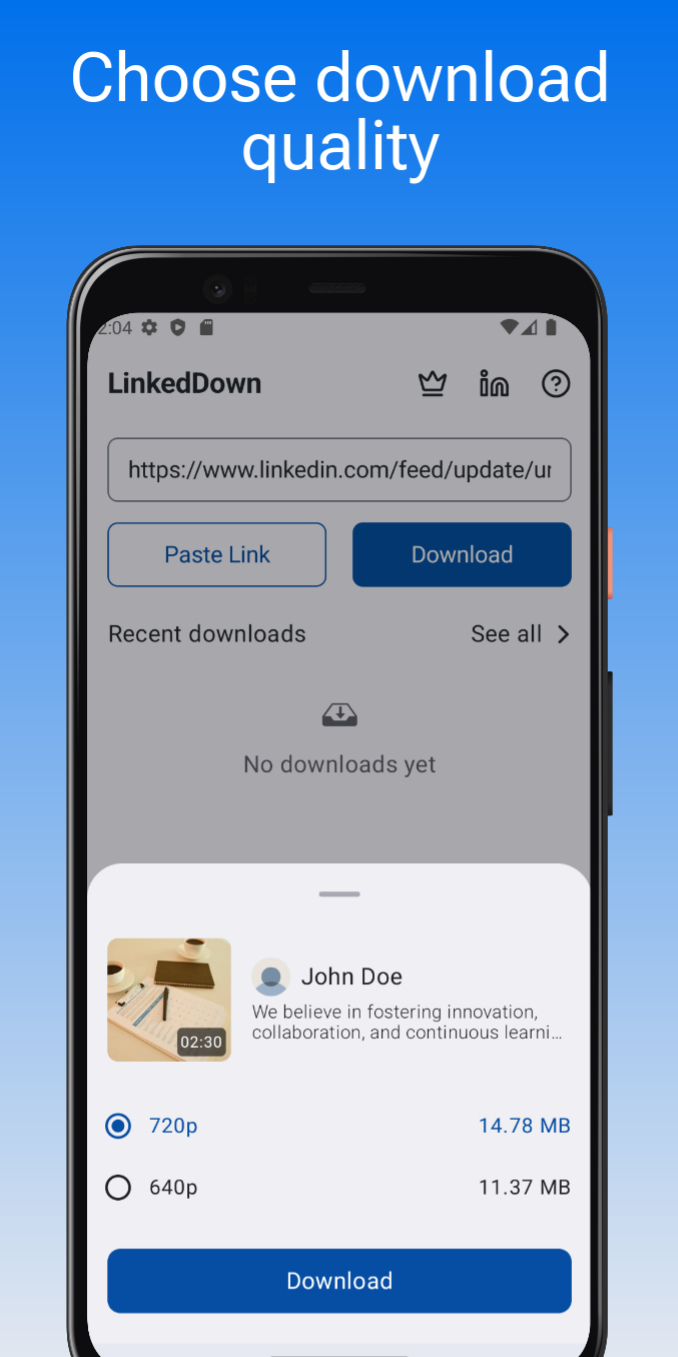
LinkedIn Video Downloader là ứng dụng Cộng cụ trên mobile, được phát triển bởi SE AppThrive, nếu sử dụng giả lập Android tốt nhất - LDPlayer, bạn có thể tải và xài LinkedIn Video Downloader trên máy tính.
Khi chạy LinkedIn Video Downloader trên máy tính, bạn có thể lướt nội dung trên màn hình lớn, sử dụng chuột và bàn phím để thao tác ứng dụng sẽ nhanh hơn và chuẩn xác hơn so với ấn màn hình trên điện thoại, hơn nữa, bạn sẽ khỏi lo pin bị tụt như trên mobile.
Qua tính năng đa nhiệm (multi play) và tính năng thao tác đồng bộ (multi control), thậm chí bạn còn có thể chạy nhiều tab ứng dụng và acc trên PC.
Còn tính năng chia sẻ file giữa PC và LDPlayer sẽ giúp bạn di chuyển tệp file rất đơn giản.
Hãy tải và chạy LinkedIn Video Downloader trên PC, tận hưởng màn hình lớn và đồ họa đẹp trên máy tính nha!
Looking to download videos, pdfs, images or gifs from LinkedIn for offline viewing? Our LinkedIn Video Downloader app is here to simplify the process. With just a few taps, you can save LinkedIn media directly to your device in high quality.Features:
⭐ Fast and easy video, pdf, image & gif downloads from LinkedIn
⭐ Save videos, pdfs, images & gifs in high quality
⭐ View and play saved media with in-built player/viewer
⭐ Simple and user-friendly interface
⭐ Queue downloads and download them at your convenience
How to use:
Method 1: Direct Sharing
1️⃣ Open LinkedIn and find the post with the media you want to download.
2️⃣ Tap the three vertical dots on the post and select "Share via."
3️⃣ Choose LinkedDown from the sharing options. The media will be downloaded automatically.
Method 2: Manual Link Copy
1️⃣ Open LinkedIn in your browser and locate the media post.
2️⃣ Tap the three vertical dots on the post and select "Share via," then choose "Copy link."
3️⃣ Open the LinkedDown app, paste the link, and get the media downloaded.
Enjoy seamless video, image/gif & pdf downloads without the need for complicated steps or additional software. Stay connected with the content you love from LinkedIn, anytime and anywhere!
Note:
*This app is not affiliated with LinkedIn. Please ensure you have the right to download and share content before using the app.